Understanding the distinct roles of drum and toner cartridges can save your business thousands in printing costs and prevent frustrating downtime.
Understanding the Core Function of Each Component
If you've ever been confused about whether you need a new drum cartridge or toner cartridge for your office printer, you're not alone. Many office managers, IT professionals, and procurement teams struggle with this distinction—and that confusion can lead to unnecessary expenses, printer downtime, and frustrated employees waiting for documents.
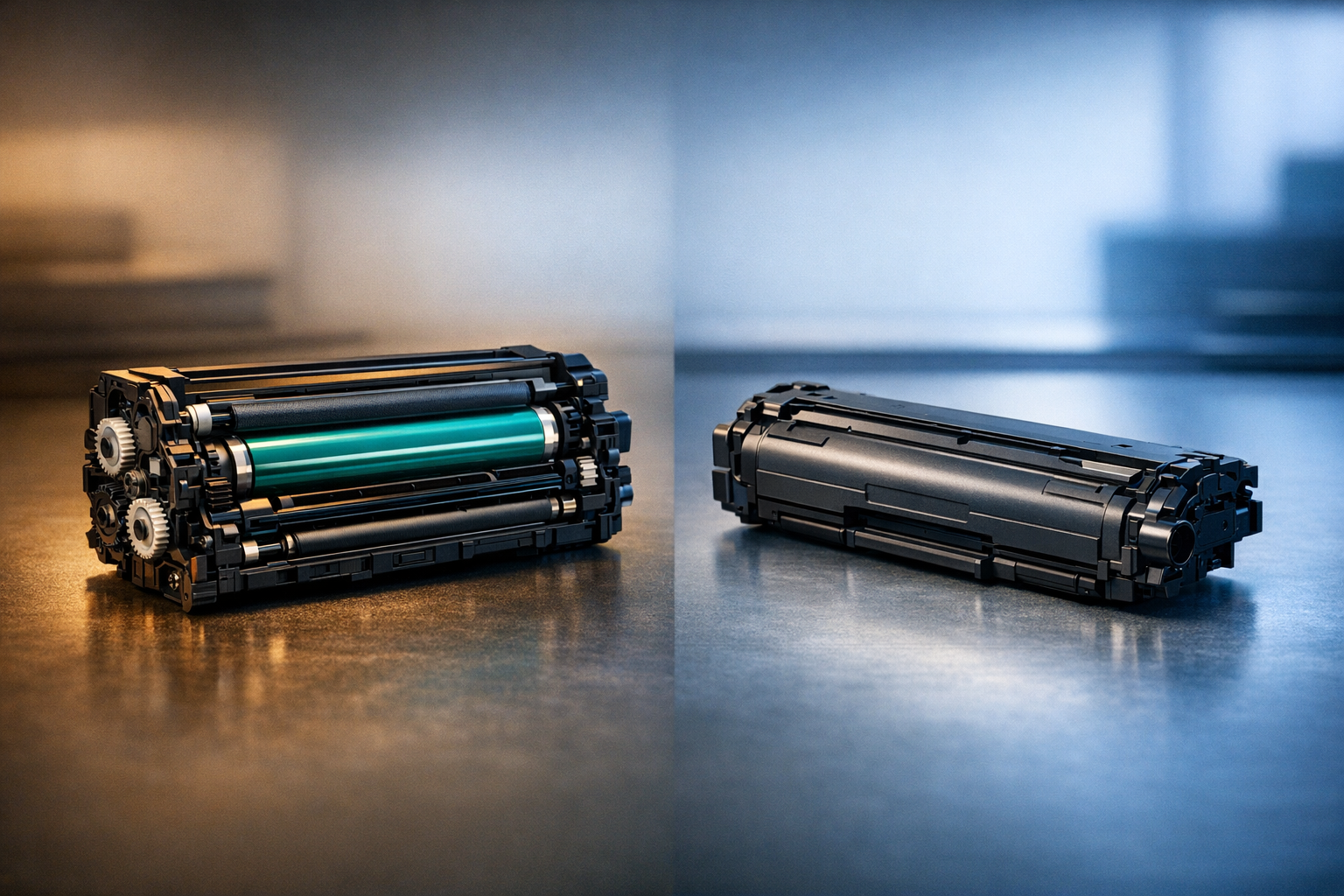
At their core, toner cartridges and drum cartridges serve completely different purposes in the laser printing process. The toner cartridge holds the fine powder—the actual toner—that becomes the text and images on your printed page. Think of it as the ink supply for your laser printer. This powder is typically made from a mixture of plastic particles, carbon, and coloring agents designed to fuse to paper under heat.
The drum cartridge, on the other hand, is the component that physically transfers that toner onto the paper. It uses a photosensitive surface—usually a cylinder coated with a special material—that receives an electrostatic charge from the printer's laser. This charge creates an invisible pattern that attracts toner particles in the exact shape of your document. The drum then rolls across the paper, depositing the toner before it's permanently fused by the printer's heating element.
Understanding this distinction is essential for cost management. Some printer models use an integrated drum and toner unit (all-in-one cartridge), while others use separate components. Separate systems typically offer better long-term value because drums last significantly longer than toner supplies—but only if you replace them at the right intervals.
How Drum and Toner Cartridges Work Together in the Printing Process
To truly grasp why both components matter, it helps to understand the six-stage laser printing process. First, the drum surface is cleaned and conditioned. Next, the printer's laser beam writes an electrostatic image onto the drum by selectively discharging areas of the photosensitive surface. This charged pattern corresponds exactly to the content you're printing.
In the third stage, toner particles from the cartridge are attracted to the charged areas on the drum. The drum then rotates and makes contact with the paper, transferring the toner pattern onto the page. Finally, the paper passes through a fuser unit that applies heat and pressure, melting the toner particles and bonding them permanently to the paper fibers.
This synchronized process happens thousands of times throughout the life of your printer. The drum must maintain its photosensitive properties and structural integrity through countless rotations, while the toner must flow consistently and produce uniform print quality. When either component begins to fail, print quality deteriorates—but the symptoms and solutions differ significantly.
For organizations managing multiple printers across departments or locations, understanding this workflow is critical for standardization efforts. It enables IT managers to anticipate replacement cycles, maintain adequate inventory, and avoid compatibility issues that can halt productivity during crucial business operations.
Lifespan, Replacement Cycles, and Cost Considerations
One of the most important distinctions between drum and toner cartridges is their dramatically different lifespans—and the cost implications that follow. A standard toner cartridge typically yields between 1,500 and 3,000 pages for black-and-white printing, depending on the model and coverage. High-yield toner cartridges can extend that to 10,000 pages or more, making them ideal for high-volume environments like schools, government offices, and busy SMBs.
Drum cartridges, by contrast, are designed to last much longer—typically between 12,000 and 30,000 pages. Some enterprise-grade drums can handle up to 50,000 impressions before requiring replacement. This extended lifespan means you'll replace toner cartridges multiple times before ever needing a new drum unit.
From a budgeting perspective, this matters significantly. Let's say your office prints 2,000 pages monthly. With a 3,000-page toner cartridge, you'll need approximately eight toner replacements per year. But with a 24,000-page drum, you'll only replace the drum once every twelve months. Failing to track these separate cycles can lead to emergency purchases, rushed shipping fees, and budget overruns.
The cost differential is equally important. Toner cartridges typically range from $50 to $150 depending on yield and color, while drum units can cost $100 to $300 or more. However, when you calculate cost-per-page, separate drum and toner systems often deliver better long-term value than all-in-one cartridges—particularly in high-volume scenarios. For procurement teams working within tight budget constraints, tracking total cost of ownership rather than just unit price is essential for maximizing value.
Common Signs Your Drum or Toner Needs Replacement
Recognizing the symptoms of drum versus toner depletion can save you from ordering the wrong component—a mistake that costs time and money. When toner runs low, you'll typically see faded or light printing, with text and images appearing washed out. The fade is usually consistent across the entire page, and you might receive a low-toner warning from your printer's display panel or software.
Drum-related issues present differently. Common signs include repetitive marks or spots appearing at regular intervals on your printed pages—this happens because damage to one area of the drum cylinder appears each time that section makes contact with paper. You might also notice vertical lines, smudging, or ghosting (faint images from previous print jobs appearing on new pages). Black or colored spots, blurred text, and overall poor print quality even with fresh toner are classic drum failure indicators.
Another telltale sign: if you've recently replaced your toner cartridge but print quality remains poor, the drum is the likely culprit. Many office managers waste money on multiple toner replacements, not realizing the drum has reached its end of life. Modern printers often display drum life percentage or page counts, making proactive replacement possible before quality degradation impacts your business operations.
For remote workers and home office users, these symptoms can be particularly frustrating because troubleshooting isn't always intuitive. Before purchasing replacement supplies, consult your printer's user manual or online resources to identify which component needs attention. Taking five minutes to diagnose correctly can prevent the hassle of returning incorrect supplies and experiencing extended downtime.
Pro Tips for Maximizing Print Component Performance
Smart offices implement several best practices to extend both drum and toner lifespan while maintaining optimal print quality. First, always use quality-grade supplies that meet or exceed OEM specifications. While price matters, especially for budget-conscious organizations, compatible cartridges from reputable suppliers can deliver OEM-equivalent performance at significant savings without compromising reliability.
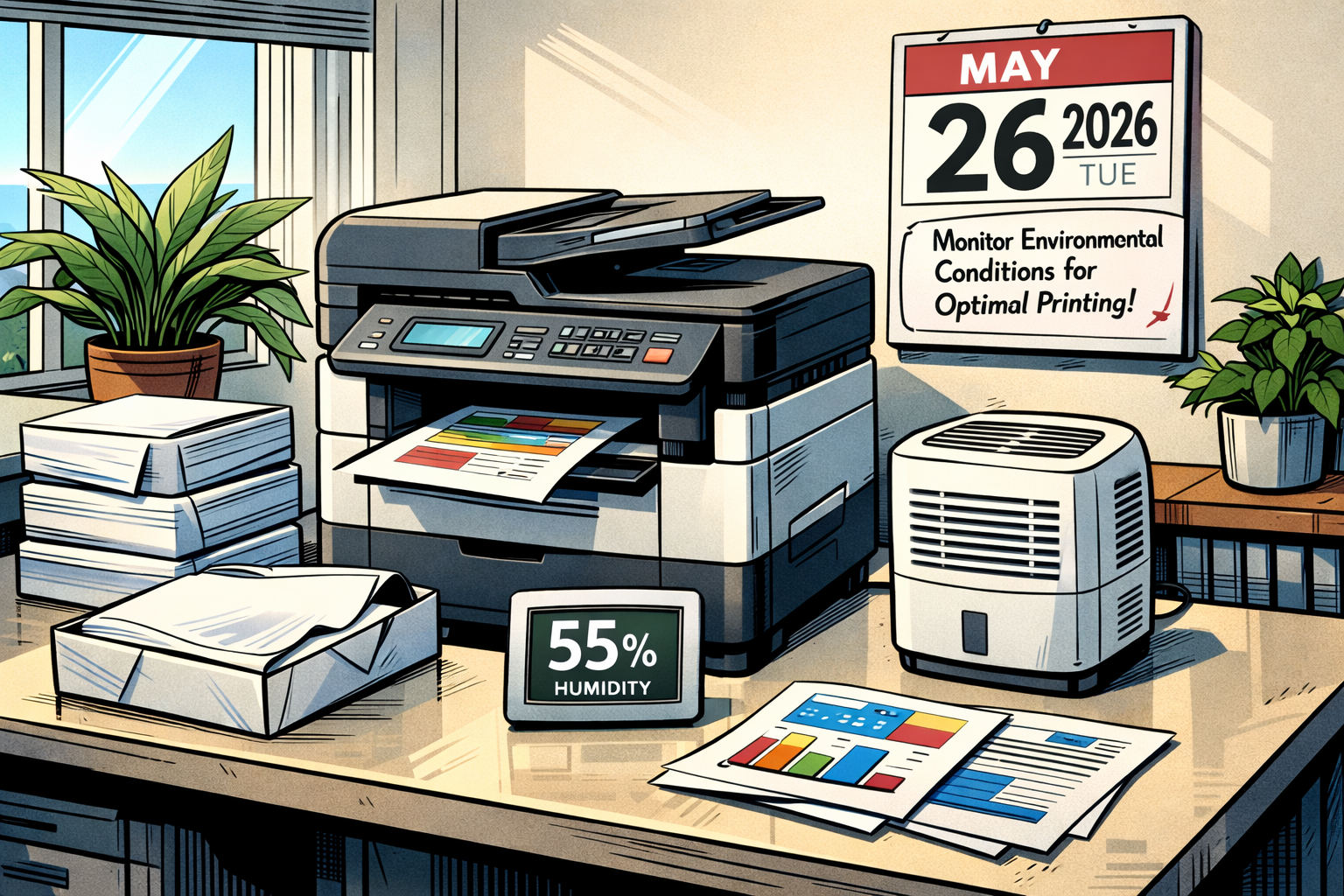
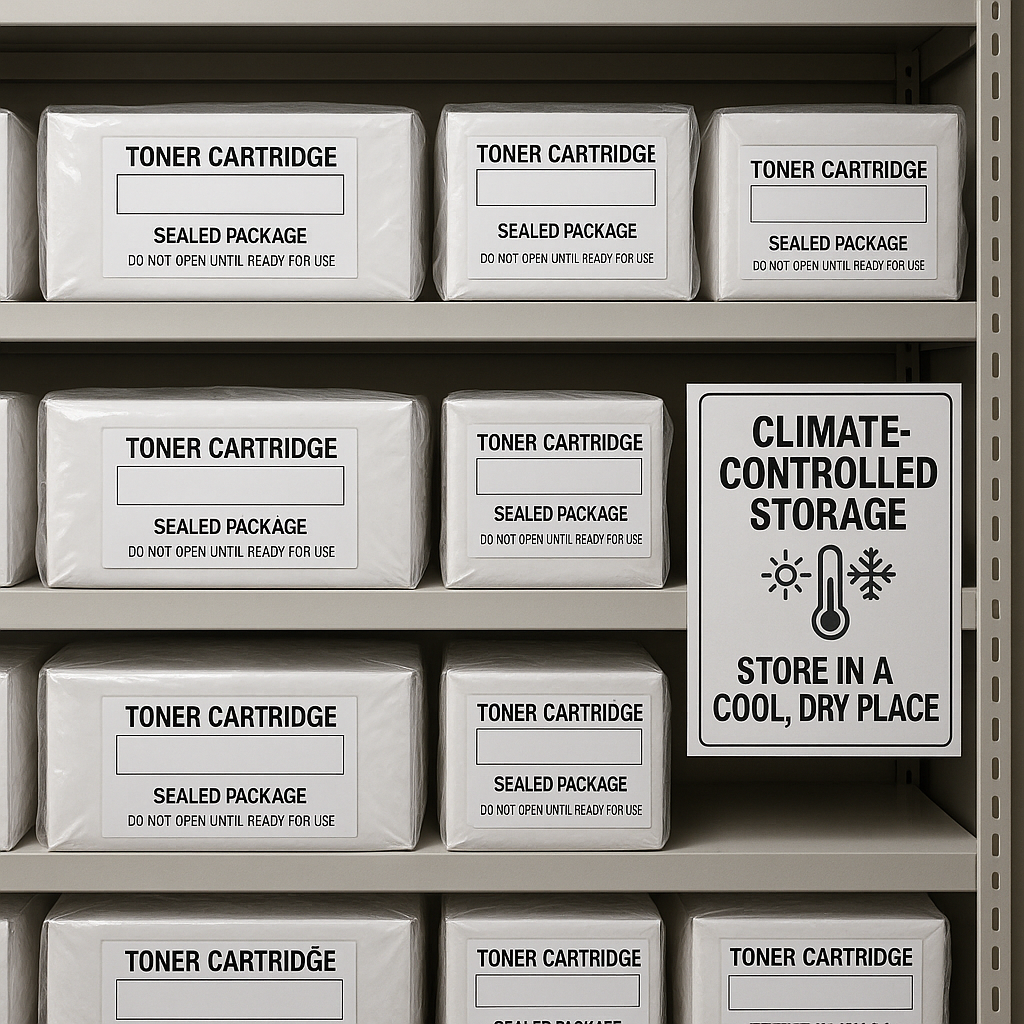
Second, maintain proper environmental conditions. Excessive heat, humidity, or direct sunlight can degrade both toner powder and the drum's photosensitive coating. Store unused supplies in their original packaging in a cool, dry location. When installing new components, avoid touching the drum surface with bare hands—oils from skin contact can create permanent print defects.
Third, implement preventive maintenance schedules. Most printers include cleaning cycles that remove excess toner and debris from the drum and other internal components. Running these cycles monthly can prevent buildup that accelerates wear and causes print quality issues. For high-volume environments, quarterly professional maintenance ensures optimal performance and can identify potential issues before they cause downtime.
Finally, track your actual page counts and replacement intervals. Many organizations replace supplies based on time rather than usage, leading to premature disposal of perfectly functional components or, conversely, running drums well beyond their rated capacity. Simple spreadsheet tracking or printer management software provides data-driven insights that optimize your purchasing cycles and eliminate waste.
Common Mistakes to Avoid
Even experienced office managers make costly errors when managing printer supplies. The most common mistake is replacing both drum and toner simultaneously when only one component needs attention. This wastes budget and creates unnecessary inventory complexity. Always diagnose which component is actually causing your print quality issue before ordering replacements.
Another frequent error is purchasing all-in-one cartridges for printers designed for separate drum and toner systems—or vice versa. Always verify your specific printer model's requirements before ordering. Compatibility issues don't just waste money; they can damage printer components and void warranties.
Many organizations also fail to consider yield differences when comparing prices. A cartridge that costs $30 less but yields 1,000 fewer pages actually costs more per printed page. Calculate cost-per-page metrics when evaluating suppliers and products to make truly cost-effective decisions.
Finally, avoid stockpiling excessive supplies. While bulk purchasing can reduce per-unit costs, toner and drums have shelf lives. Components stored too long can deteriorate, and holding excessive inventory ties up working capital. Purchase enough to cover lead times and provide reasonable buffer stock, but resist the temptation to over-buy based solely on volume discounts.
Frequently Asked Questions
**Can I use third-party drums and toner cartridges without voiding my printer warranty?** In the United States, the Magnuson-Moss Warranty Act protects your right to use compatible or remanufactured supplies without automatically voiding your printer warranty. Manufacturers cannot void warranties simply because you used third-party supplies unless they can prove those supplies directly caused the damage. Quality compatible supplies from reputable distributors deliver reliable performance while providing significant cost savings.
**How do I know if my printer uses separate or integrated drum and toner units?** Check your printer's user manual or visit the manufacturer's website with your model number. You can also open the printer's access panel—if you see only one removable unit, it's likely an all-in-one cartridge. If you can identify multiple components (often with different colored labels or handles), you have separate systems. When in doubt, consulting with knowledgeable supply partners ensures you order the correct components.
**Is it worth upgrading to a printer with separate drum and toner cartridges?** For offices printing more than 1,000 pages monthly, separate systems typically deliver lower total cost of ownership. The higher upfront printer cost is offset by reduced per-page expenses over the device's lifespan. For light-duty home offices or occasional printing needs, all-in-one cartridge systems offer simplicity and convenience even if per-page costs are slightly higher. Evaluate your actual monthly volume and multiply by projected years of use to make informed decisions.
Making Smart Purchasing Decisions for Your Office Print Environment with TonerWorld
Understanding the difference between drum cartridges and toner cartridges is an important first step, but choosing the right printer supplies also depends on compatibility, print quality, and overall value. Whether you print from a home office, a small business, a school, or a larger workplace, having access to the correct supplies can help reduce downtime and avoid unnecessary replacement costs.
TonerWorld offers more than 8,000 products for a wide range of printer makes and models, making it easier to find toner cartridges, drum units, and other imaging supplies that match your equipment. A broad product selection can also make it easier to compare OEM and compatible cartridges based on page yield, budget, and performance expectations. Fast, free shipping adds convenience when you need replacement printer supplies without long delays.
If you are unsure which toner cartridge or drum cartridge your printer requires, checking printer model compatibility before ordering is essential. TonerWorld helps shoppers find supplies that fit their specific machines, whether they need OEM products or cost-effective compatible cartridges designed to deliver reliable print quality.
When you are ready to buy printer supplies, taking a few minutes to confirm your printer model, expected print volume, and preferred cartridge type can help you make a more informed decision. Explore TonerWorld’s selection of toner cartridges, drum units, and related printer supplies to find products that support consistent performance and dependable everyday printing.